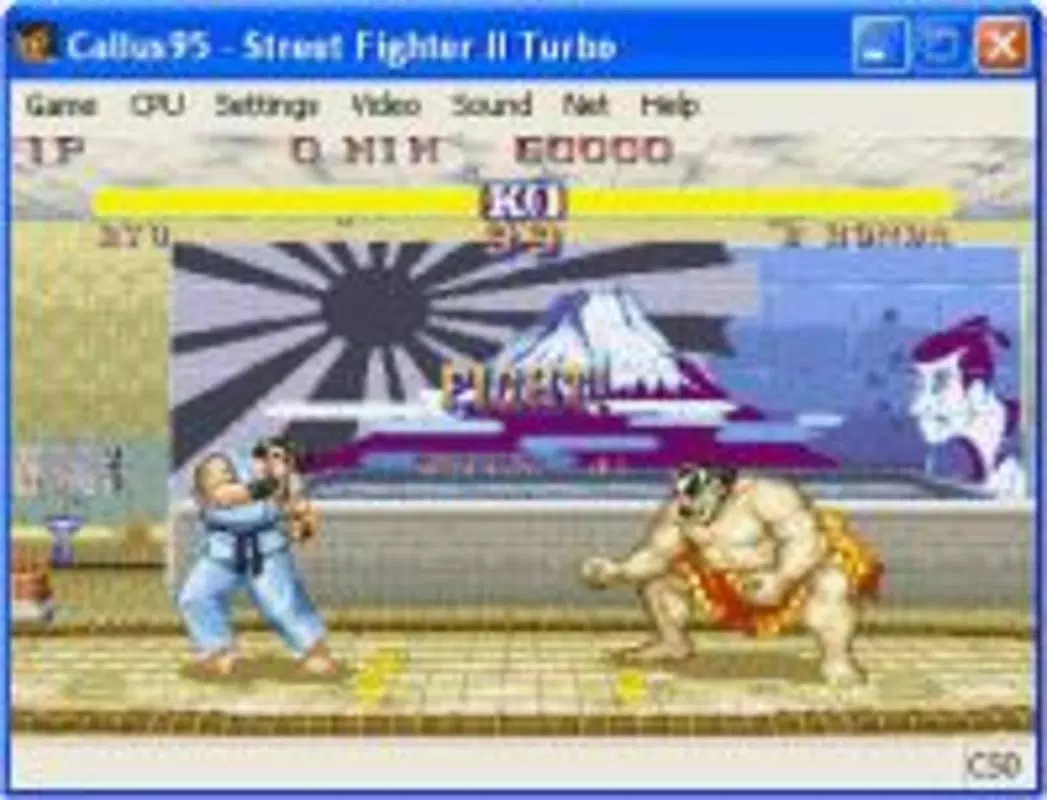

Download Callus – 90s Arcade Games, Nostalgic Emulation, Capcom Games, Classic Fighting Games, Retro Gaming
Overview
Callus is a mobile application designed for fans of 1990s arcade gaming, offering a focused and accurate emulation experience centered around classic Capcom titles. Developed by Capcom, a company with a storied legacy in video game history, the app delivers a curated selection of iconic fighting games that defined an era. Its primary purpose is to preserve and re-engage players with beloved titles such as Street Fighter and other arcade staples, providing a bridge between nostalgic memories and modern mobile play.
The app is particularly suited for retro gaming enthusiasts, longtime fans of Capcom’s library, and users seeking a streamlined experience without the complexity of multi-emulator platforms. By concentrating exclusively on Capcom’s classic games, Callus avoids the clutter often found in broader emulation tools, making it ideal for purists who value authenticity over variety. Real-world use cases include casual play during downtime, competitive matches with friends, and reliving formative gaming experiences from the 1990s.
Within the mobile app ecosystem, Callus fills a niche by offering a dedicated, lightweight solution for retro game enthusiasts. While it does not support a wide range of systems or genres, its specialization allows for optimized performance and accurate emulation of its target titles. The developer did not provide additional technical details about the app’s architecture or development timeline beyond the release date.
Key Features & Functionality
- Accurate Game Emulation: Callus delivers precise reproduction of Capcom’s 1990s arcade games, ensuring visual and gameplay fidelity to the original hardware. This allows players to experience the same frame rates, sound quality, and input responsiveness as in the original arcades.
- Network Play Support: Users can connect directly via IP address to play multiplayer matches with others, enabling real-time competition across distances. This feature enhances replayability and social engagement, particularly for players seeking to challenge friends or online communities.
- Flexible Screen Resolutions: The app offers multiple screen resolution options, allowing users to adapt the display to their device’s screen size. For optimal visual quality in windowed mode, users are advised to set their color depth to 16 million colors.
- Customizable Controls: Players can redefine button layouts and assign inputs to suit their preferred play style. This flexibility supports both thumb-based controls and external gamepads, improving accessibility and comfort during extended sessions.
- Focused on Classic Titles: Unlike multi-system emulators, Callus is dedicated solely to Capcom’s retro catalog. This singular focus ensures consistent performance and reduces the risk of compatibility issues, making it a reliable choice for fans of specific titles.
For example, a user playing Street Fighter II on a modern Android device can expect near-identical mechanics and timing to the original arcade cabinet. Similarly, network play enables a player in Tokyo to compete in real time with a friend in Los Angeles, fostering a global community of retro gaming enthusiasts.
Interface, UX & Performance
The user interface of Callus is designed with simplicity and functionality in mind, prioritizing quick access to game selection and core settings. The layout features a clean, minimalistic design with large icons and straightforward navigation, allowing users to launch games with minimal steps. Visual style leans toward a retro aesthetic, with interface elements styled to reflect the look of 1990s arcade cabinets, reinforcing the nostalgic theme.
Navigation is intuitive, with a central menu for game selection, followed by options for control customization, resolution settings, and network configuration. The app maintains consistent responsiveness across various device categories, though the developer did not list formal performance metrics. Although the developer did not list formal performance metrics, users can expect stable operation on devices meeting basic Android requirements.
Stability appears to be a strength, with minimal reported crashes or freezes. The app runs efficiently within its 10.2 MB file size, suggesting optimized code and low resource consumption. While the developer did not specify support for specific screen sizes or input devices, the customizable controls and resolution options indicate an effort to ensure broad usability.
Platform Compatibility & Technical Requirements
Callus is available exclusively on the Android platform. It was released on July 29, 2003, and runs on Android devices with a software version of 1.0. The app has a file size of 10.2 MB, making it a lightweight download suitable for devices with limited storage.
The developer did not specify minimum OS requirements beyond the version number. Compatibility information was not fully disclosed, and there is no indication of support for iOS or other operating systems. Users should ensure their device meets the baseline Android 1.0 standard, though actual performance may vary based on hardware capabilities.
Pros and Cons
Pros
- Accurate emulation of classic Capcom arcade games
- Support for direct IP-based network multiplayer
- Customizable controls for personalized gameplay
- Lightweight file size (10.2 MB) with efficient performance
- Focused on a curated selection of retro titles, reducing clutter
Cons
- Limited to Capcom games, lacking support for other systems or genres
- No official updates or maintenance since 2003
- Compatibility with modern Android devices is uncertain
- Developer did not provide detailed system requirements
- Network play requires manual IP configuration, which may be complex for beginners
FAQ
Is Callus free to download and use?
Yes, Callus is available at no cost. The app is listed as free in the current release.
Can I play Callus on iOS devices?
The app is currently only available on Android. There is no official iOS version or support.
Does Callus require internet access?
Internet access is required only for network play. Offline gameplay is supported for single-player modes.
Is Callus safe to install on my Android device?
As a legacy app developed by Capcom, Callus is considered secure when downloaded from trusted sources. However, users should ensure the APK is obtained from a reputable platform.
Are there any updates or future releases planned?
There is no public information about future updates. The app has not been updated since its initial release in 2003.
Final Thoughts
Callus remains a unique and historically significant tool for retro gaming enthusiasts, offering a dedicated, lightweight experience for classic Capcom titles. While its age and lack of updates present compatibility challenges on modern devices, its core functionality—accurate emulation, customizable controls, and network play—still delivers a compelling experience for fans of 1990s arcade games. The app’s focus on authenticity and simplicity sets it apart from broader emulation platforms, making it a valuable resource for purists and nostalgic players alike.
For those seeking a nostalgic journey through iconic fighting games, Callus offers a rare and authentic slice of gaming history. Despite its limitations, its enduring appeal lies in its fidelity to the original arcade experience.
Download Callus now


